


Help center
Users: renting, returning, payments and your account. Partners: venues, events and franchise. Can't find your answer? Write to us.

Help is in the app too
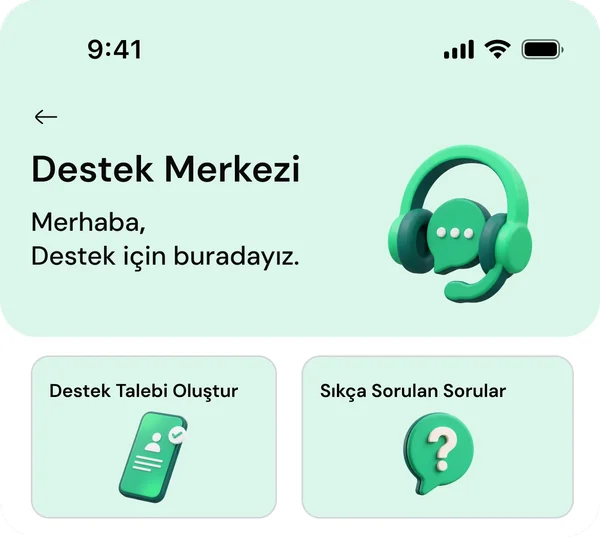
No question matches this word. Write to us from Help in the app and our team will answer.
Renting and returning
What do I need to rent?
The Piqup app and a saved card. Add your card once, and every rental after that is just a QR scan. You can also pay with your Piqup Pay balance.
How do I find a station?
Tap Powerbank in the app and the map opens. You see whether each station is open and has free slots, so you know before you go.
What if the powerbank won't come out of the slot?
The rental closes on its own shortly. You can try again at the same station or one nearby.
Where can I return the powerbank?
Into an empty slot at any Piqup station. No need to go back where you got it. The rental ends once the powerbank is fully in the slot.
I returned it but the rental didn't end
The powerbank should click fully into the slot. If it didn't, push it in again. If the station is full or closed, drop it at another station nearby and message us from Help in the app, we'll fix the record.
What if I forget to return it?
The app reminds you with a notification. You drop the powerbank at any Piqup station within 96 hours from the start of the rental. Details are in the terms of use.
What if the station is full or closed?
It shows on the map, so you know before you go. The next nearest station is one tap away.
What do I do if the powerbank doesn't work?
Drop the powerbank at any Piqup station and the rental ends. Then report it from Help in the app and we'll review your record.
I found a Piqup powerbank
Thank you. You can hand it in at the venue with the nearest Piqup station or write to us from Help in the app.
Powerbank
Which phones can it charge?
Type-C or Lightning phones, iPad and other tablets, MacBook and laptops that charge over Type-C, and earbuds. Both cables are built into the powerbank.
Charging won't start. What should I do?
Press the button on the side of the powerbank once; charging starts when the lights come on. Check the cable fits snugly. Still stuck? Write to us via Help.
What if the powerbank runs out?
You don't have to return it. You can charge the powerbank yourself through its Type-C port and keep using it.
How do I see the charge left?
From the lights on the powerbank. Four lights on means it's full, one light means it's running low.
Payments and Piqup Pay
How is the price calculated?
By the minute. You pay only for the minutes you use; no deposit or prepayment. You see the per-minute price in the app before renting, when you select the station.
How do I pay?
When the rental ends, it's charged to your saved card or your Piqup Pay balance. You choose which comes first in the app.
What is Piqup Pay?
Piqup's payment system. Pay for your rental in one tap with the card you added to Piqup Pay or with the balance you topped up. For unused balance, you can create a refund request in the Help section.
Can I get back the balance I topped up?
Yes. For unused balance, you create a refund request in the Help section of the app. The refund goes to the card you topped up with.
What is auto top-up?
When your balance drops below your chosen threshold, the amount you picked is topped up from your card automatically. Turn it off anytime.
Where can I see my rental history?
In the My transactions section of the app. The start, end and payment method of every rental are listed there.
Account
I changed my phone number
Update your number in the Profile section of the app. The verification code goes to your new number.
How do I delete my account?
You can request account deletion from your Profile. If you have no open rental or unpaid transaction, we process the request.
Can I turn off notifications?
You can turn off campaign notifications. Reminders about your rental stay on for your safety.
Safety
Can the powerbank damage my phone?
Protected against overvoltage, overcurrent, short circuits and overheating. Battery management charges at the speed your phone asks for.
Where are my card details kept?
It's not stored by Piqup, it stays with the payment provider. In the app you only see the last four digits of your card.
Are the powerbanks clean?
Our field team checks stations regularly, and cleans and refreshes the powerbanks.
What if the powerbank gets hot or swells?
Unplug it from your phone, stop using it and let us know in the app. Details on the Safety page.
What are the certifications?
Our powerbanks and stations hold UN38.3, CE, RoHS and CB certifications.
Venue partnerships
Does it cost the venue anything?
No. The station, setup and maintenance are on Piqup. The venue only provides an outlet.
What happens after I apply?
We call you and talk about your venue and what you're looking for. On the site visit, we pick the best spot together and plan the setup date.
How do deals work for chains and single locations?
One deal for the whole chain, or one per branch. We set up revenue sharing and reporting together, to fit how your venue works.
Where do I see my earnings?
On the partner dashboard. Your earnings period and payment date are set out in your contract.
What if a guest loses the powerbank?
Piqup handles tracking and payment collection. Your venue has no responsibility, and your staff don't need to do a thing.
Can we move the station later?
Yes. Tell us the new spot and our team will come and move it.
What if the station breaks down?
Write to our partner WhatsApp line (0532 229 51 98) or to info@piqup.app. Our field team checks it and replaces the station if needed.
Events
Can I get a station for my event?
Yes. Fill in the form on the Events page and we'll get back to you with a layout plan and a quote.
Can the screen show content made for the event?
Yes. We show the program schedule, sponsor visuals, venue directions and announcements on the station screens.
What's the minimum event length?
From one-day events to multi-day festivals.
Franchise
How does the franchise work?
Through two programmes: a regional partnership at district or city level, and a country partnership outside Türkiye (master franchise). The app, payments and user support are on Piqup; venue relationships and the field are on the partner. Details on the Franchise page.
Which countries and regions are open?
Include your country, city and region in your application. We'll confirm open markets together in the first call.
Where can I find the investment and terms?
We share them in the first call, based on your market. Apply through the form on the Franchise page.
Contact us
How do I apply?
Venue, event and franchise applications are made through the form on the relevant page. Our team reviews the form and calls you.
I'm an existing partner. Who do I contact?
For stations, payouts and operations, write to our partner WhatsApp line (0532 229 51 98) or to info@piqup.app.
Press and media requests
Write to info@piqup.app. Logos, colours and a short description are on the Brand and press page.

Didn't find your answer?
If you are a user, Help in the app is open 24/7 and your request reaches the team together with your rental record. If you are a partner, reach us through the channels in the "I'm a partner" section.